Help /
gopay /
Pay your parking fee with GoPay
Here's how to pay in a parking area managed by Secure Parking or Sky Parking:
Secure Parking
- Before exiting the parking lot, open the Gojek app and tap ‘Pay’. Scan the QR code on the parking ticket
- Click ‘Verify to Continue’ on the receivers detail to continue payment
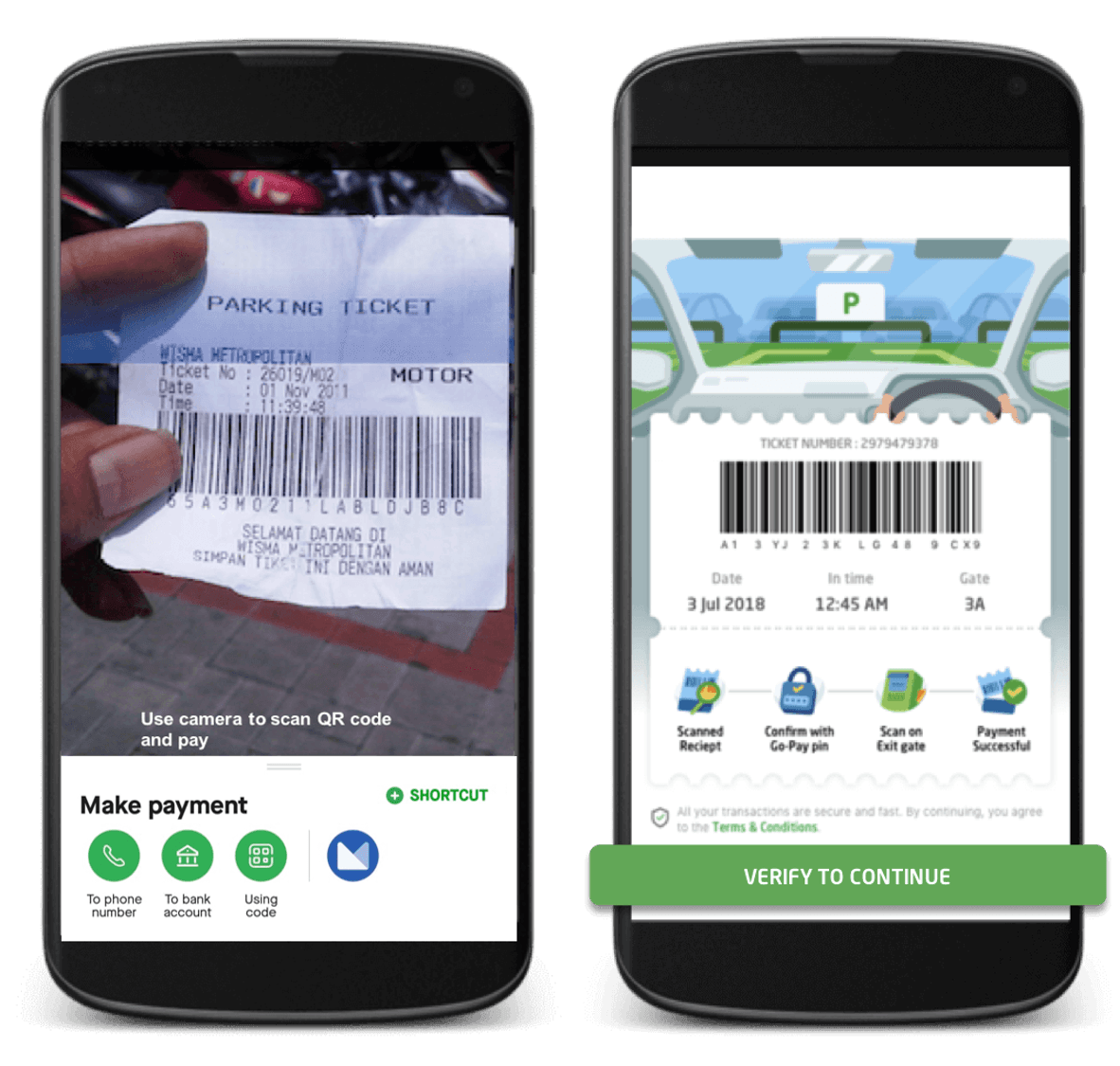
- Scan your fingerprint/face or enter your GoPay PIN
- Scan parking ticket at exit gate / Give your parking ticket to the parking officer at exit gate
- Your GoPay balance will be deducted according to the parking fee
Sky Parking
- Before exiting the parking lot, open the Gojek app and tap ‘Pay’. Scan the QR code on the parking ticket.
- You will see the nominal and parking duration. Click 'Pay' to continue payment.
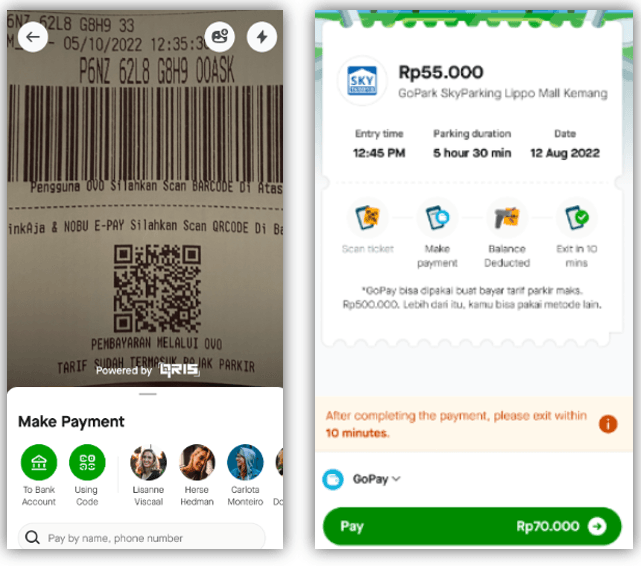
- You will see the nominal and parking duration. Click 'Pay' to continue.
- Scan your fingerprint/face or enter your GoPay PIN.
- Scan parking ticket at exit gate / Give your parking ticket to the parking officer at exit gate.
Notes:
- The maximum transaction to pay your parking fee at Sky Parking with GoPay is Rp500.000. At Sky Parking there is no maximum transaction,
- After completing the payment, leave the parking lot before the specified time limit to avoid additional fees.
- If you have problems exiting the gate, please show your payment history to the on duty parking staff to help you.