You can also directly transfer to an account that is already registered on 'Transfer to your account'
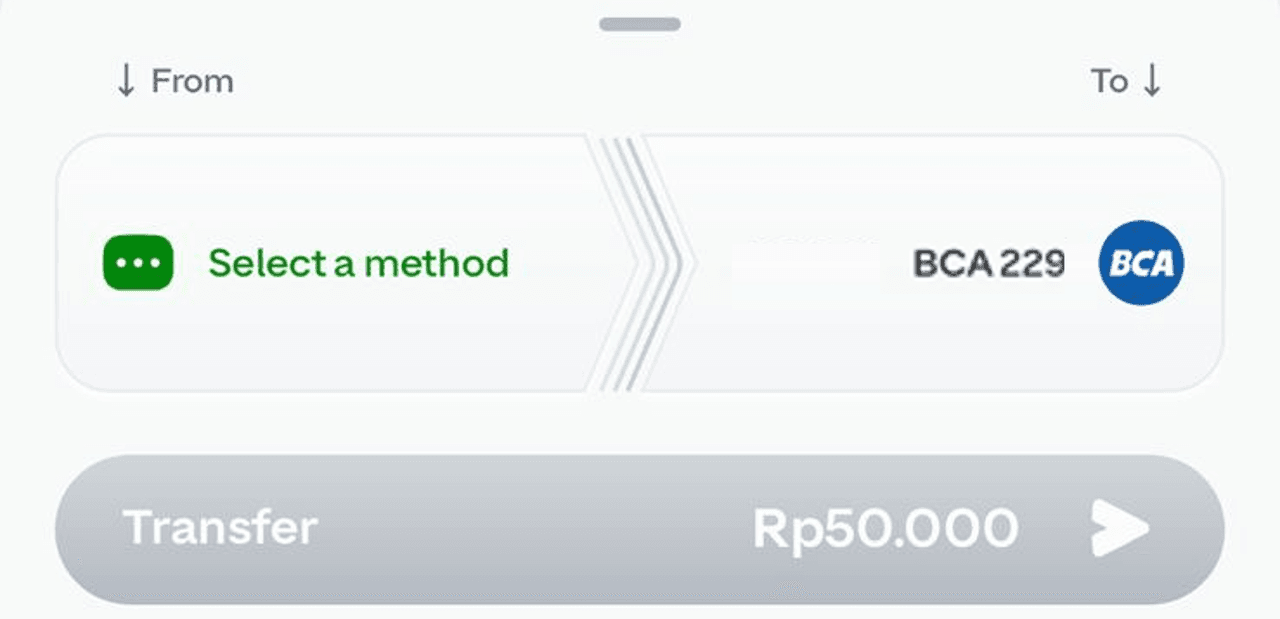
Enter the amount you would like to transfer, then choose GoPay or other method (GoPay Tabungan, Jago Pocket, BRI Direct Debit, BLU, Virtual Account) as a payment method
Follow the next instructions to complete your transaction.
Notes:
If you choose a Virtual Account as a source of funds, you are required to transfer the funds via VA according to the app instructions.
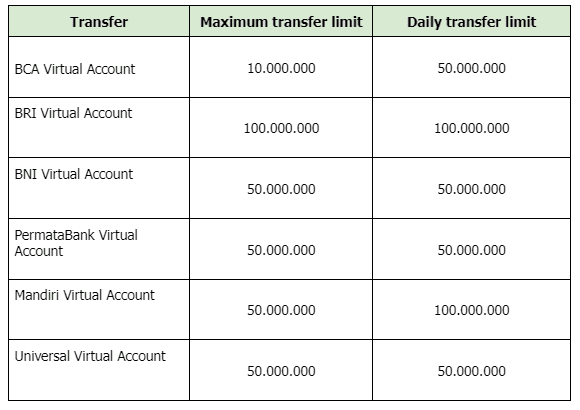
For transfers via Virtual Account, here are the limits for each bank
The minimum bank to bank transfer amount is Rp1.
Free transfers 100x/month.
Any bank transfer request will be processed on the same day
You will get notification or you can check your inbox to see your transaction status (successful/failed)
You cannot use scan QR feature to transfer to bank
If you can’t use the transfer to bank feature or your transaction has failed, find out the possible causes in the following article: Unable to transfer balance to the bank.
*)Link can only be accessed if you open it using a handphone or tablet.